
Four stages in the registration form
Israel seller onboarding: prepare, fill, review
Based on supplied screenshots of four registration stages, including the submitted application under review. These screenshots do not establish the complete flow; the current platform form governs.
Prepare before registration
Request the materials sheet from the team, then create a separate copy for each merchant. Complete real information and collect the supporting documents.
Contact the team for the materials sheetEnterprise Information
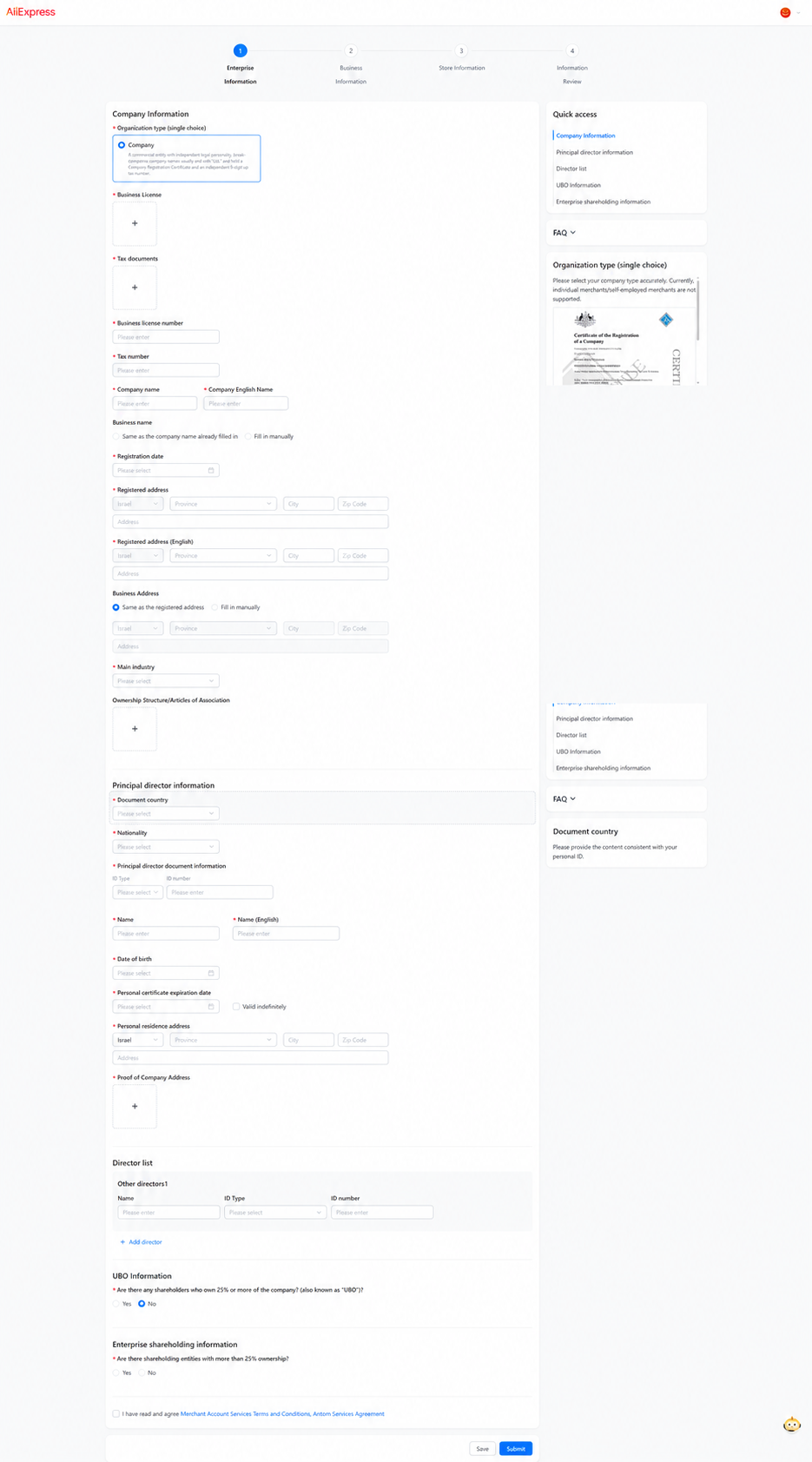
Enter company and director information exactly as shown in the documents.
Company
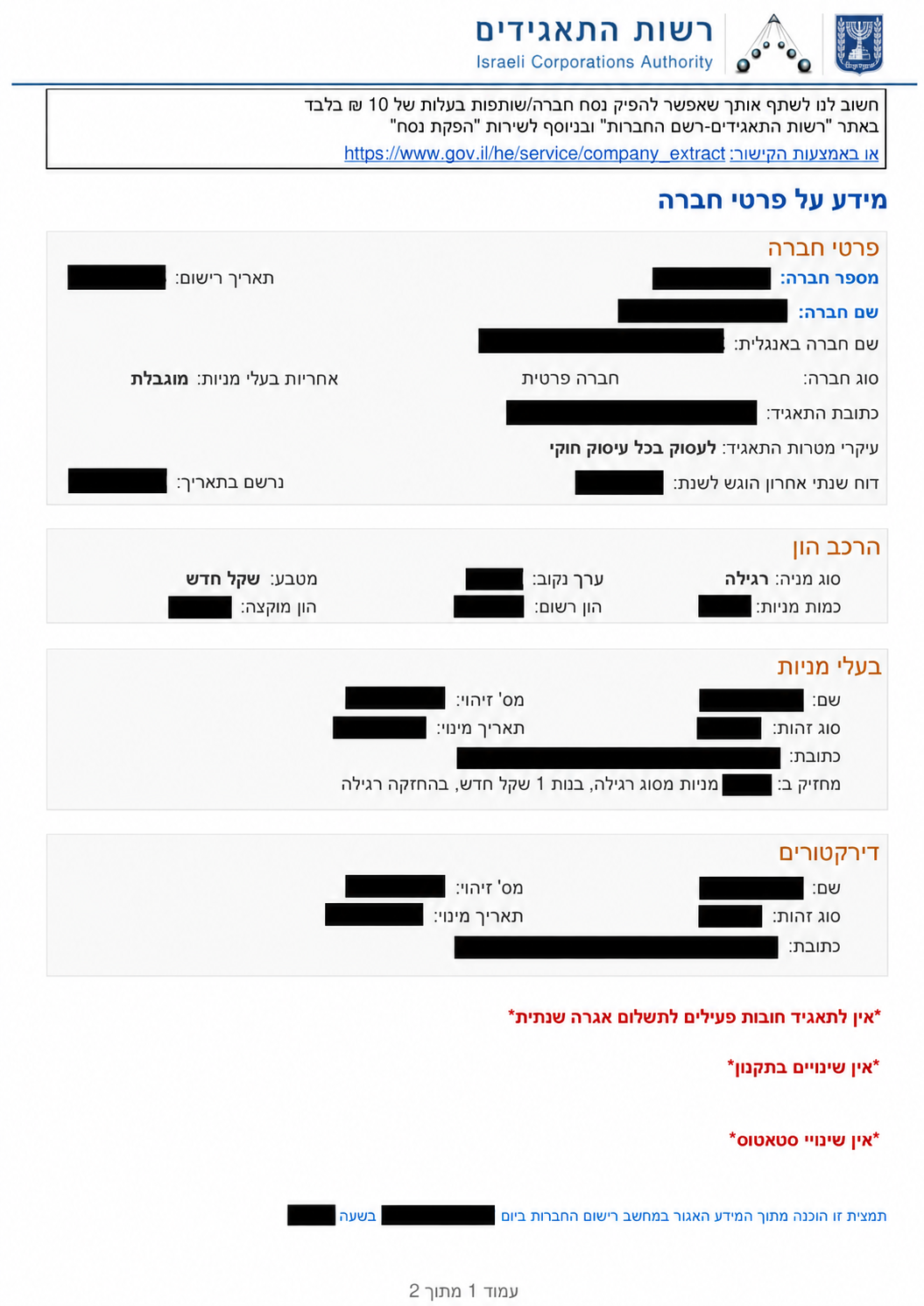
- With the business license, attach evidence that verifies tax-number validity, the registered company address and the company legal representative. A company registration status is not the same as tax-number validity.
- Registered address in local language and English: district, city, postal code, street and house number. Business address: confirm whether it is the same.
- Main industry; ownership structure / articles of association field. The screenshot does not establish its upload requirements.
Directors and ownership
- Primary director: document country, nationality, ID type and number, color ID image, name and English name, birth date, expiry date or indefinite validity, actual residential address. For an ID card, the visible help asks for both sides.
- Other directors: name, ID type and number, one record per additional director.
- For an individual UBO holding ≥25%, prepare ID/passport and ownership evidence. For a corporate shareholder holding >25%, prepare its registration and ownership evidence; add an ownership chart for multiple layers.
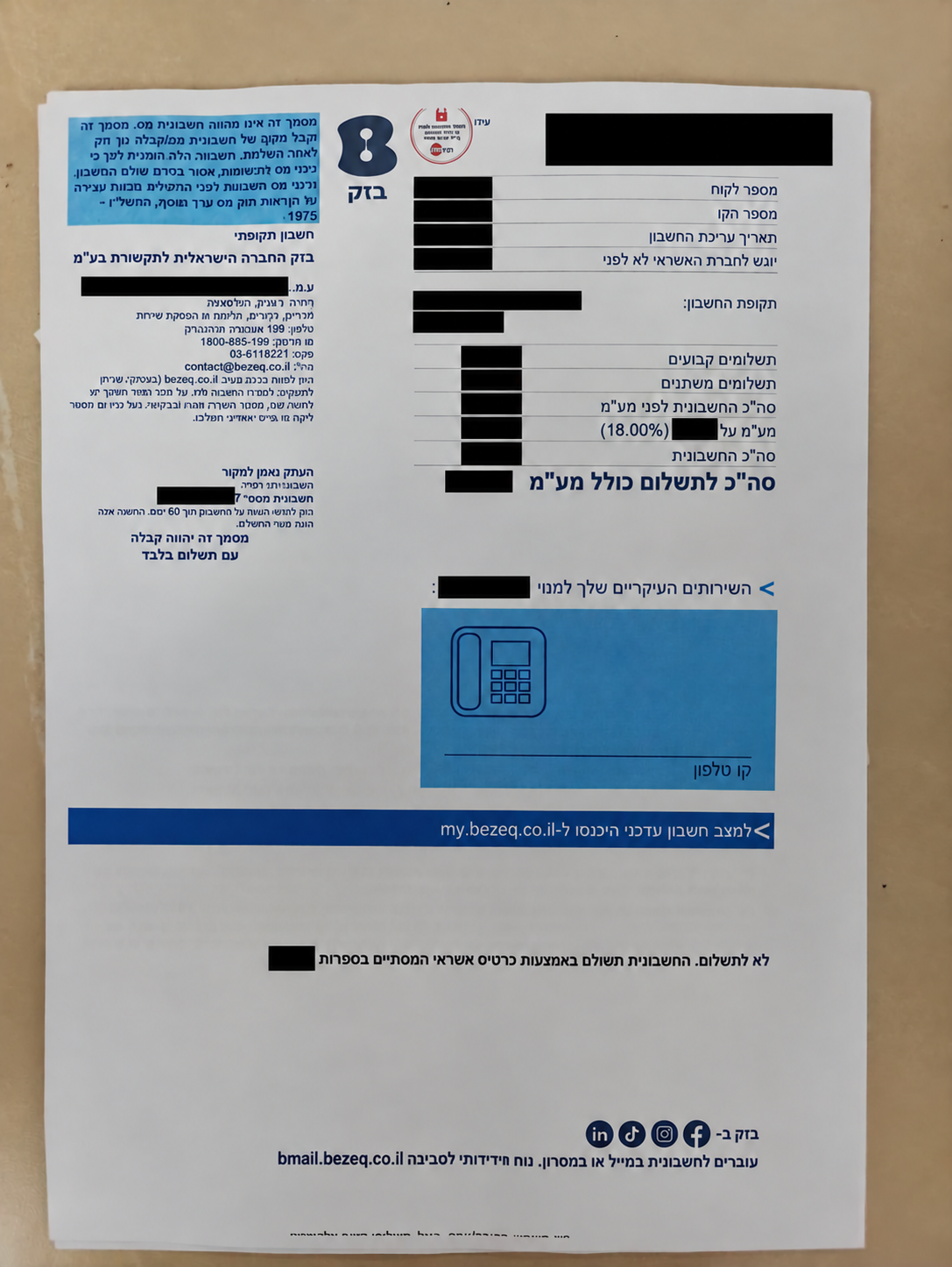
- Company-address validity: provide a bank statement or a water, electricity, gas or telephone bill showing the company address. A business license alone does not replace this address bill.
Company document examples
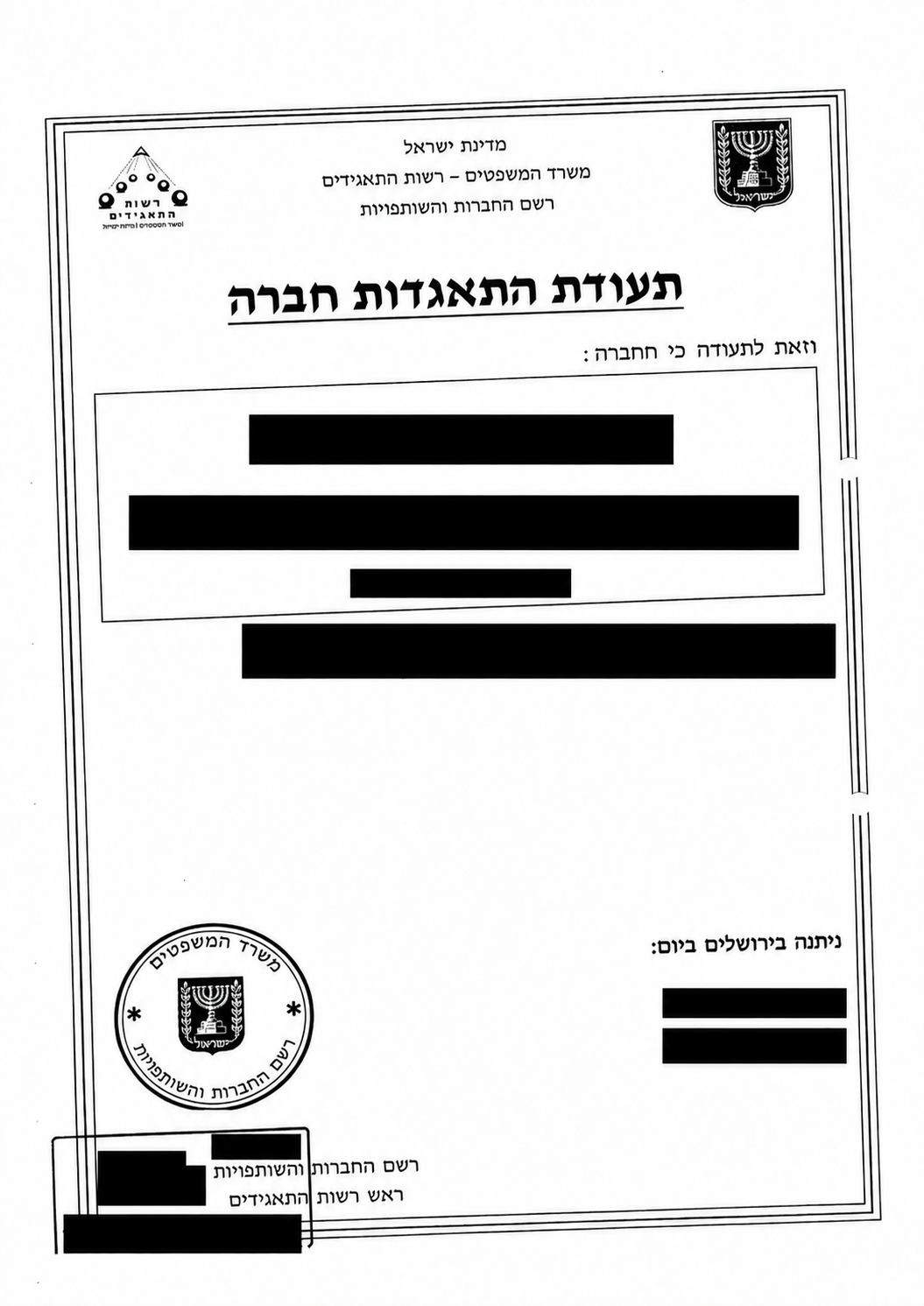
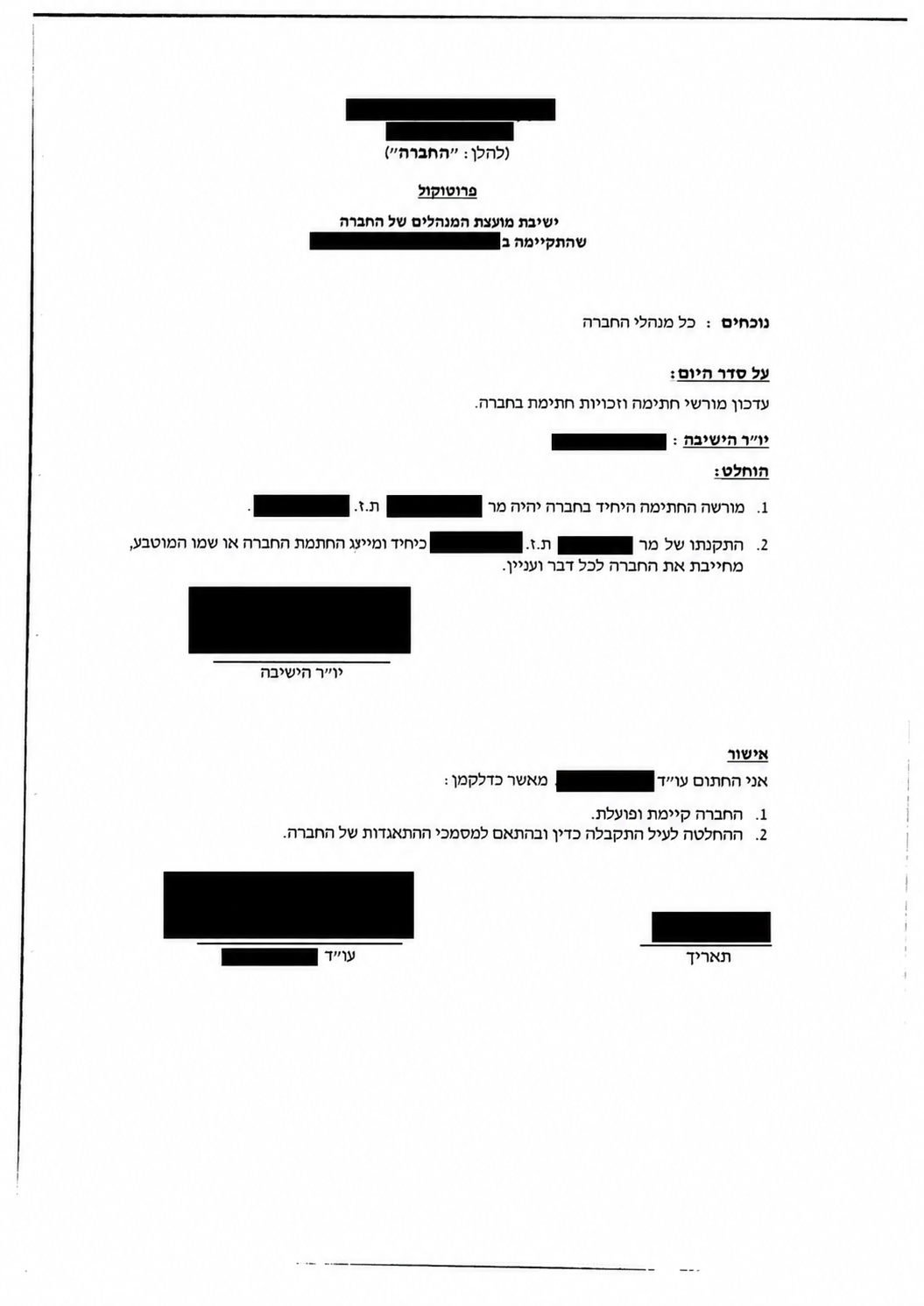
Prepare evidence of a valid company tax number, the registered address and the company legal representative. The examples below are redacted, edited illustrations; submit complete, unredacted originals privately to the reviewer.
Company registry extract
Incorporation certificate
Signing-authority resolution
Address bill reference
Business Information
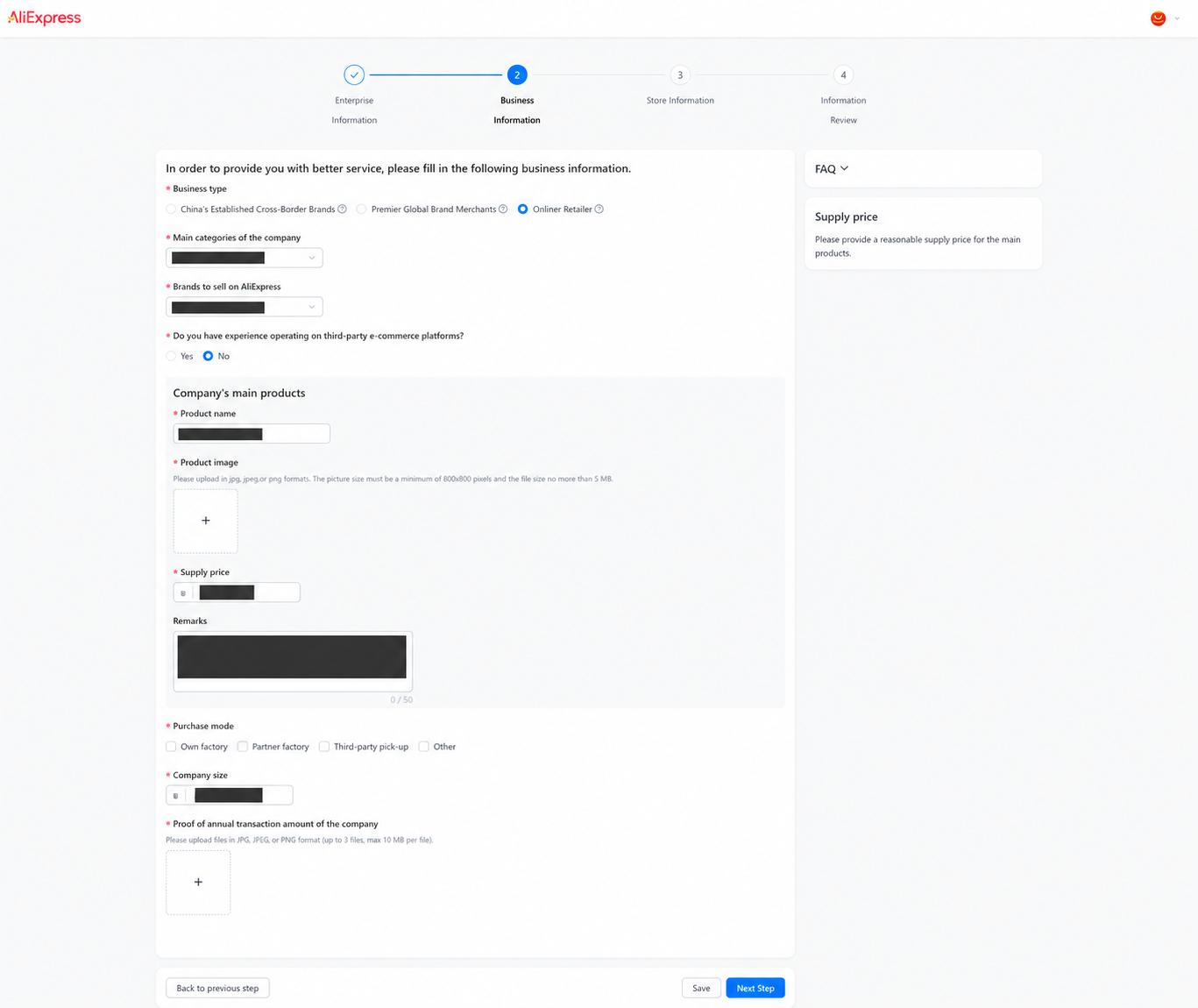
Choose actual business type, main category and brands to be sold, where shown. Answer the experience question truthfully.
If Yes: third-party platform experience
- Platform name, store link, annual GMV in ₪ and supporting scale evidence. Additional platforms can be added.
- Evidence: JPG/JPEG/PNG, up to 3 files, maximum 10 MB each. Use the actual reporting period; a monthly amount multiplied by 12 is an estimate, not actual annual GMV.
- Submit accurate, genuine materials without fabrication or misleading edits. Verify brand evidence separately; a product screenshot does not establish authorization.
If No: products and company scale
- Main product name and main image: JPG/JPEG/PNG, minimum 800 × 800 pixels, maximum 5 MB. Product must match the selected category.
- Supply price in ₪; optional remarks up to 50 characters; actual procurement mode (own factory, partner factory, third-party pick-up or other).
- Company size means annual company transaction amount in ₪. Support the amount with an accountant confirmation, annual financial statement or attributable sales report. New companies use actual records since incorporation; no trading can be documented by an accountant zero-sales statement. Upload JPG/JPEG/PNG, up to 3 files, maximum 10 MB each.
Store Information
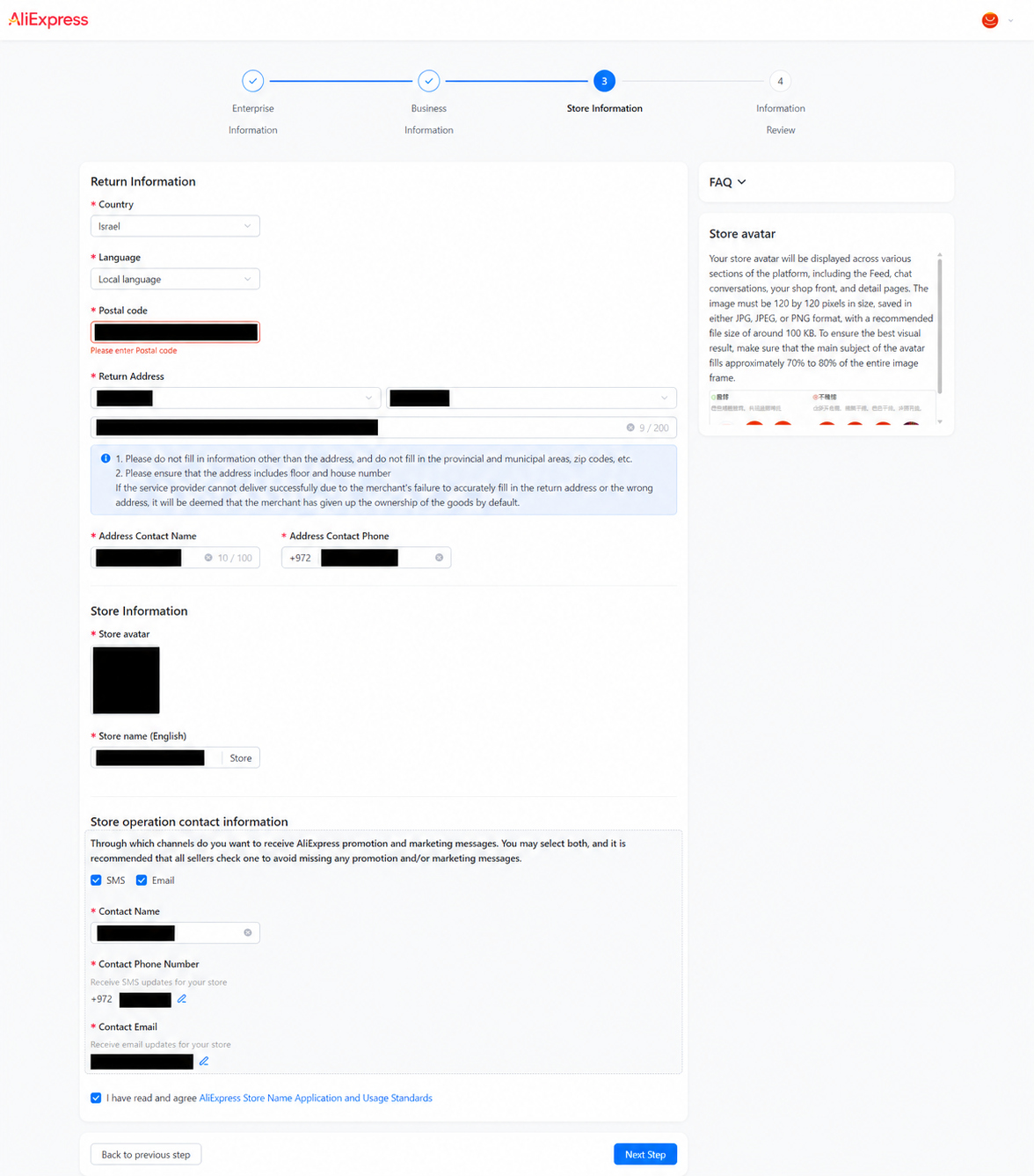
Prepare an actual return destination and the contact details used to operate the store.
Returns
- Country, language, postal code, district and city; detailed street, house number, floor and unit where applicable. Do not repeat separately selected region and postal-code fields in the detailed address.
- Return contact name and phone. The observed form requires 10 digits starting with 05, including the initial 0. Follow the validation shown in your form.
- Use an address where returns can actually be received; it need not be the registered company address.
- The observed screenshot has one return-address field. Support for multiple warehouses needs platform confirmation.
- The detailed return address allows up to 200 characters; the return contact name allows up to 100 characters.
Store and operations
- Avatar: exactly 120 × 120 pixels, JPG/JPEG/PNG; recommended around 100 KB; subject occupies about 70–80% of the frame.
- English store name: the form displays a Store suffix; avoid repeating it. Provide operating contact name, phone and email.
- SMS and Email boxes are marketing preferences. Read the store-name agreement before accepting; consent is the merchant’s decision.
- The return recipient and the operating phone contact have different roles. Use a long-term operating contact who can receive platform messages and be present for verification. Never save or publish verification codes.
Information Review
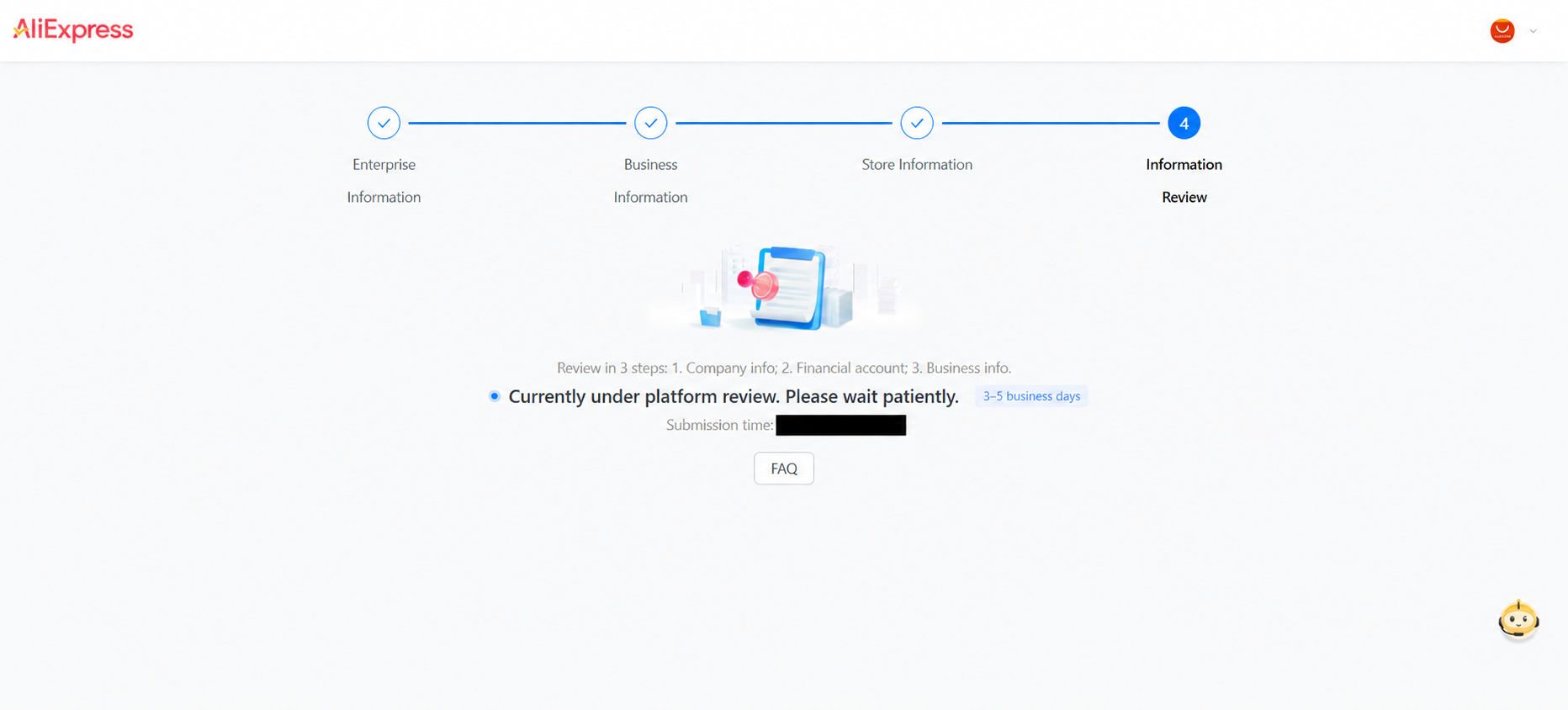
This screenshot shows the status after submission, not a pre-submission form. The application is under review and has not yet been approved.
Submitted application: review status
- The page shows three review areas: Company information, Financial account, and Business information. It does not show the financial-account setup fields or required materials.
- The page estimates 3–5 business days for review. This is an estimate displayed by the platform, not a guaranteed completion time.
- Under review does not mean approved. Check the actual status and any requests for additional information in the platform.
Still to verify
- Check live expanded fields, dropdown choices and technical file limits when completing the form. These checks do not prevent preparing the listed materials.